
The Azure DLP Blueprint: Building a Data Protection Fortress That Doesn’t Lock Out Your Team
Why Your Data Is Walking Out the Door (And How to Stop It)
Imagine this: a well-intentioned finance employee emails a spreadsheet containing employee tax IDs to an external consultant for a quick analysis. An overworked developer uploads a configuration file with database credentials to a public GitHub repo for troubleshooting. A sales manager shares a sensitive contract draft via a personal file-sharing service because “the company system is too slow.” These aren’t malicious acts—they’re productivity shortcuts that happen in organizations every day, creating data leaks that regulatory fines and reputational damage follow.
In today’s distributed work environment, where data flows across cloud services, personal devices, and third-party platforms, traditional perimeter-based security is as effective as a screen door on a submarine. This is where Azure Data Loss Prevention steps in—not as a digital prison warden, but as an intelligent guide that helps your team protect sensitive information without bringing business to a grinding halt.
The Shifting Paradigm: From Castle Walls to Smart Guards
For decades, security focused on building higher walls—firewalls, VPNs, network segmentation. But in a cloud-first world where data lives in SharePoint, travels through Teams, and gets analyzed in Power BI, those walls have become irrelevant. The data itself needs protection, regardless of where it goes. This is the core philosophy behind Azure DLP: protecting information at the data layer rather than the network layer.
What makes Azure’s approach particularly powerful is its integrated ecosystem. Unlike standalone DLP solutions that bolt onto your infrastructure, Azure DLP is woven into the fabric of Microsoft 365 and Azure services. It understands context—it knows the difference between a medical researcher sharing anonymized study data with a colleague and an HR assistant accidentally emailing unencrypted personnel files to a personal Gmail account.
The Foundation: Knowing What You Have and Where It Lives
You can’t protect what you don’t know exists. The most common DLP failure point is organizations trying to protect everything with equal fervor, resulting in alert fatigue and ignored policies. Successful implementation starts with what I call the “Data Discovery Triathlon.”
First Lap: Regulatory Mapping
Start by identifying compliance requirements. Are you subject to GDPR for customer data? HIPAA for patient information? PCI-DSS for payment details? Each regulation has specific data types that require protection. Microsoft Purview comes with pre-configured templates for these standards, providing an excellent starting point.
Second Lap: Business Value Assessment
Not all sensitive data falls under regulations. That proprietary algorithm, the acquisition strategy document, the quarterly financial projections—these are crown jewels that might not be regulated but could cripple your business if leaked. Work with department heads to identify these assets. I typically recommend creating a “Data Criticality Council” with representatives from legal, IT, and business units.
Third Lap: Flow Mapping
Track how data moves. Does customer information flow from your CRM to your analytics platform? Do engineering designs get shared with manufacturing partners? Azure Purview’s data map can automatically discover and visualize these flows across Azure, on-premises, and even multi-cloud environments.
The Classification Conundrum: Labels That Actually Work
Classification is the cornerstone of effective DLP, yet it’s where most programs stumble. The classic failure mode is the “confidential stamp”—where every document gets marked “confidential” because the classification system is too cumbersome or confusing.
Azure Information Protection offers a more elegant solution. Instead of forcing users to become data classification experts, you can implement:
Automated Labeling: Policies that automatically classify documents based on content. Detect credit card numbers? Apply the “Financial Data” label. Find patient health information? Apply the “Medical Records” label.
Recommended Labeling: The Microsoft 365 apps can suggest labels based on content analysis, gently guiding users toward correct classification without interrupting workflow.
Visual Markers: Labels can add watermarks, headers, and footers—not just as security measures but as visual reminders to users about the sensitivity of what they’re handling.
The magic happens when DLP and classification work together. A well-classified document enables smarter DLP decisions. A document labeled “Restricted – Source Code” might trigger a complete block on external sharing, while one labeled “General – Internal Use” might simply be monitored.
Policy Design: The Art of Smart Restriction
Creating DLP policies is where technical capability meets organizational psychology. The goal isn’t to prevent all data movement—it’s to prevent unauthorized or risky data movement while enabling legitimate business.
Here’s my proven three-layer policy architecture:
Layer 1: The Safety Net (Audit-Only Policies)
Start with broad, audit-only policies for high-risk data types. These policies don’t block anything—they just report what’s happening. Run these for 30 days and you’ll discover fascinating patterns: which departments regularly share financial data externally, which teams use unsanctioned cloud storage, where your real risks lie. This data-driven approach prevents the classic mistake of implementing restrictive policies based on assumptions rather than evidence.
Layer 2: The Guide Rails (Notification Policies)
Once you understand normal behavior, implement policies that notify users when they’re about to take risky actions. The key here is helpful communication. Instead of a generic “Policy Violation” message, configure specific coaching tips: “This email appears to contain customer addresses. Remember that GDPR requires encryption when sharing PII externally. Click here to send securely.”
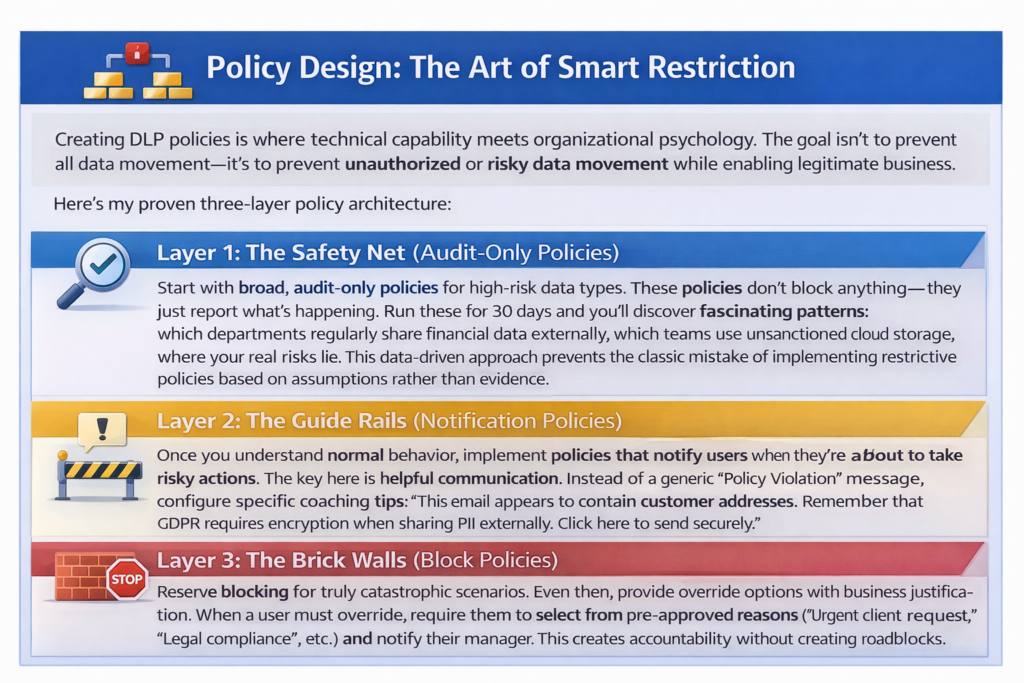
Layer 3: The Brick Walls (Block Policies)
Reserve blocking for truly catastrophic scenarios. Even then, provide override options with business justification. When a user must override, require them to select from pre-approved reasons (“Urgent client request,” “Legal compliance,” etc.) and notify their manager. This creates accountability without creating roadblocks.
The Human Element: DLP That Your Team Won’t Hate
I’ve seen technically brilliant DLP implementations fail because they treated users as adversaries rather than partners. The most effective DLP programs recognize that employees want to do the right thing—they just need clear guidance and reasonable tools.
Transparency is Non-Negotiable
Be upfront about what DLP monitors and why. During rollout, host “lunch and learn” sessions showing real examples (sanitized, of course) of near-misses that DLP prevented. When users understand that DLP protects both the company and their own professional reputation, compliance increases dramatically.
Make Secure Sharing Easier Than Risky Sharing
This is the golden rule. If your secure sharing method requires fifteen clicks and a manager’s approval, while a personal Google Drive upload takes two clicks, guess which one people will use? Integrate Azure DLP with easy encryption and secure sharing options. When a user tries to attach a sensitive document to an external email, the policy tip should include a “Share Securely” button that applies encryption and access controls in one click.
Celebrate the Saves
When DLP prevents a potential data leak, share the success (anonymously) in company communications. “Last week, our DLP system helped an employee catch an accidental external sharing of sensitive data before it left the organization. Thanks to our collective vigilance…” This positive reinforcement builds a security culture.
The Integration Advantage: DLP as Part of Your Security Fabric
Azure DLP’s true power emerges when integrated with the broader Microsoft security ecosystem:
With Microsoft Defender for Endpoint: Extend DLP protection to devices, even when they’re off your corporate network. Detect when sensitive data is copied to USB drives or printed.
With Azure Sentinel: Transform DLP alerts into intelligent investigations. When DLP detects multiple attempts to export customer data, Sentinel can correlate this with abnormal login times and geographic locations, potentially identifying compromised accounts or insider threats.
With Conditional Access: Combine DLP with access policies. Require multi-factor authentication when accessing highly sensitive documents, or block access entirely from unmanaged devices.
This integrated approach moves you from simply detecting data loss to preventing it through defense in depth.
The Continuous Improvement Cycle: DLP Is Never “Done”
Deploying your policies is the beginning, not the end. Establish a regular review rhythm:
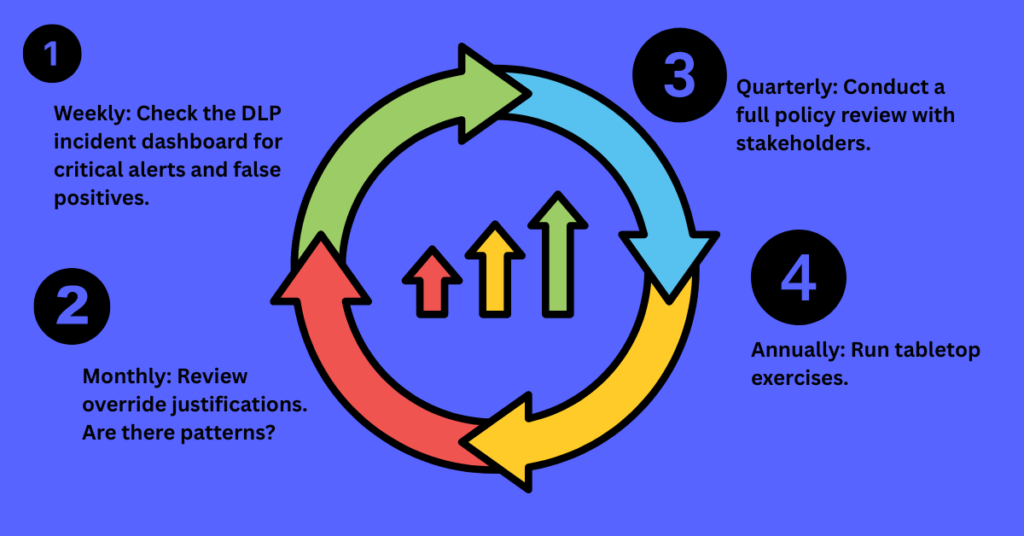
Weekly: Check the DLP incident dashboard for critical alerts and false positives. Adjust policies that are generating excessive noise.
Monthly: Review override justifications. Are there patterns? If multiple teams are regularly overriding to share data with the same external partner, maybe you need to create a secure collaboration channel instead of fighting the workflow.
Quarterly: Conduct a full policy review with stakeholders. Has the business changed? New products, new regulations, new partners? Update your DLP strategy accordingly.
Annually: Run tabletop exercises. Present teams with realistic scenarios: “Marketing needs to share the upcoming campaign with three agencies. How would you do this securely?” These exercises reveal workflow gaps and training opportunities.
The Future-Proofing Principle: Preparing for What’s Next
The data landscape isn’t static, and neither should your DLP strategy be. Microsoft is continuously enhancing Azure DLP with capabilities like:
Machine Learning-Based Detection: Moving beyond pattern matching to understanding context and intent. The system learns what “normal” financial document sharing looks like for your organization and flags anomalies.
Multimedia Content Analysis: Extending protection to images, audio, and video—detecting sensitive information in a screenshot of a database or a recorded conversation.
Autonomous Remediation: Simple, automated responses to common threats, like automatically quarantining a file containing exposed credentials.
By building a flexible, adaptive DLP program today, you position your organization to leverage these advancements as they emerge.
The Bottom Line: DLP as Business Enabler, Not Business Blocker
The most profound shift in mindset I help organizations make is viewing DLP not as a cost center or productivity tax, but as a business enabler. When customers know you have robust data protection, they share more sensitive information, enabling deeper partnerships. When compliance auditors see mature DLP controls, certifications come easier. When employees trust that systems will help them avoid accidental leaks, they collaborate more freely and confidently.
Implementing Azure DLP isn’t about building digital barricades. It’s about creating intelligent pathways—clear, safe routes for data to flow where it needs to go for business to thrive, while gently but firmly closing off the dangerous shortcuts. It’s security that works with human nature rather than against it, protecting what matters most while empowering your team to do their best work.
🔒 Professional Azure DLP Implementation
Get expert guidance to implement Azure Data Loss Prevention correctly
Free Strategy Session
- 30-minute custom consultation
- DLP policy review & recommendations
- Compliance gap analysis
- Implementation roadmap
Chat on WhatsApp
Response within 15 minutes
Prefer email? Contact us at contact@aemonline.net • Available Mon-Fri, 9AM-6PM EST
In a world where data breaches regularly make headlines and regulatory fines reach astronomical levels, your Azure DLP implementation might be the most important business continuity investment you make this year. Start with understanding, proceed with empathy, integrate comprehensively, and improve continuously. Your data—and your business—will thank you.

Cybersecurity Architect | Cloud-Native Defense | AI/ML Security | DevSecOps | Certified ISO/IEC 42001:2025 AIMS Lead Auditor
With over 23 years of experience in cybersecurity, I specialize in designing and building resilient, zero-trust digital ecosystems across multi-cloud environments (AWS, Azure, GCP) and Kubernetes platforms (EKS, AKS, GKE).
My journey began in network security—firewalls, IDS/IPS—and expanded into Linux/Windows hardening, Identity and Access Management (IAM), and DevSecOps automation using Terraform, GitLab CI/CD, and policy-as-code technologies such as OPA and Checkov.
Today, my focus extends to AI governance and AI/ML security, supported by my certification as an ISO/IEC 42001:2025 Artificial Intelligence Management System (AIMS) Lead Auditor. I help organizations establish governance, risk management, security, and assurance practices for responsible AI adoption while aligning AI initiatives with organizational and regulatory requirements.
From a technical security perspective, I focus on MLSecOps, protecting AI/ML models and pipelines against adversarial threats using technologies such as Robust Intelligence and Microsoft Counterfit. I also integrate AISecOps capabilities for intelligent threat detection and investigation, leveraging platforms such as Darktrace and Microsoft Security Copilot, while automating incident response through forensics-driven workflows with Elastic SIEM and TheHive.
Whether it’s hardening cloud-native infrastructure, embedding security into CI/CD pipelines, governing enterprise AI adoption, or safeguarding AI systems, I bridge the gap between cybersecurity, AI governance, and innovation—ensuring that security and trust scale with technological velocity.
Let’s connect and discuss the future of secure, governed, and intelligent infrastructure.